How to Scale Your Vinted Business to 50+ Orders Per Day
Learn how to scale your Vinted business from a few orders to 50+ daily. From sourcing stock and listing efficiently to processing orders seamlessly - discover the complete scaling strategy.
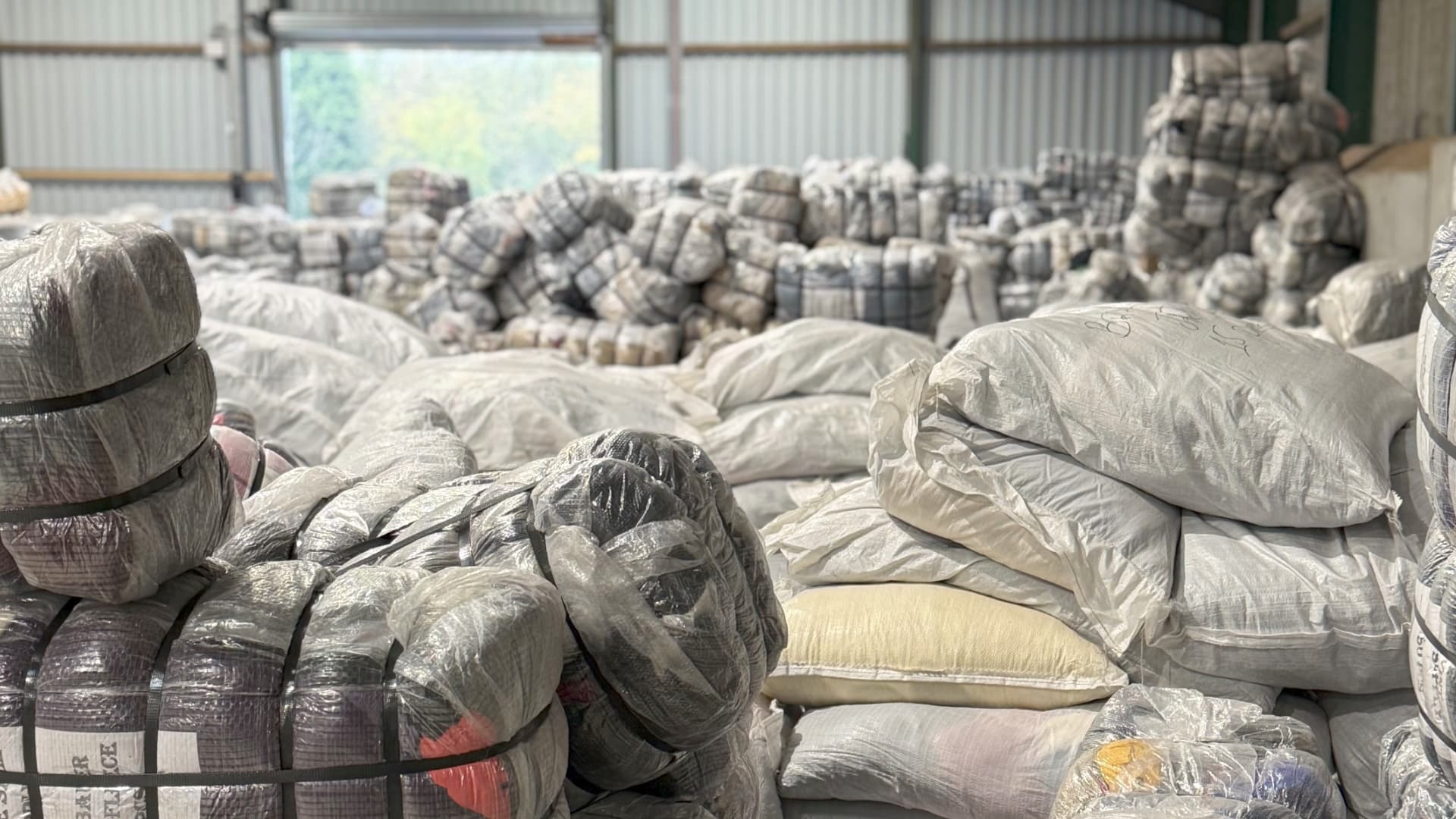
Scale your Vinted business to 50+ orders daily by sourcing from reliable wholesale suppliers, implementing efficient listing workflows, using SKU systems for organisation, and automating order processing with batch picklists and label processing. Tools like fetchin can make order picking and packing seamless and fast.
Scaling a Vinted business isn't just about processing more orders - it's about building a complete system from sourcing to shipping. When you hit 20, 30, or 50+ orders daily, everything needs to work together seamlessly.
Here's how to build a scalable Vinted business that handles high volume without the chaos.
Sourcing Stock: From Car Boots to Wholesale
Starting Out: Car Boot Sales and Charity Shops
Car boot sales in season are brilliant for finding gems, especially when you're starting out. You can discover unique pieces, test what sells, and build your inventory without huge upfront investment. It's probably not entirely feasible if you're looking for that huge scale, but it's great at the start and worth doing if you enjoy it.
The challenge? It's time-consuming, inconsistent, and seasonal. You might find 20 great items one week, then nothing the next. Plus, car boot season is limited - you can't rely on it year-round. For scale, you need reliable, consistent stock.
Scaling Up: Wholesale Suppliers
To scale to 50+ orders daily, you need to look at ways to source in bulk from reputable and reliable suppliers. Many vintage wholesale suppliers across the UK and Europe can provide consistent stock. A quick Google search and a couple hours research and you'll discover the top ones.
The Reality: You'll need to invest a bit of money upfront to get the ball rolling and find wholesalers that work best for you. It's part of the game - you're building a business, not just selling a few items.
Important Advice: The things you like or think should sell well, probably don't. It's harsh, but true - your personal taste doesn't always align with what actually sells. Branded bales from wholesalers don't always mean highest margins and even best sell-through rate either. Sometimes items without obvious branding can be just as profitable, if not more so, because they're more versatile and appeal to broader audiences. Don't automatically assume branded = better, and don't assume your taste = market demand. Do your research, test different suppliers, and track what actually sells and what margins you're making.
Finding Suppliers:
- Research vintage wholesale suppliers in your area
- Look for reviews and recommendations from other sellers
- Start with smaller orders to test quality and sell-through
- Build relationships with suppliers that work for your business model
Prepping and Organising: Set Up Before You Scale
Steaming and Prepping Items
Utilise all your time yourself before outsourcing or hiring staff. This means steaming, prepping, photographing, and listing items efficiently. Set up a workflow that works for you - maybe prep in batches, photograph in batches, list in batches.
Implement SKUs and Storage Systems Early
This is crucial: implement SKUs and storage bins/shelving so you can pack your orders immediately after listing and affix a SKU, then have them in locations easy for picking.
The System:
- After listing: Affix a SKU sticker to the item (e.g., "SKU: ABC-123")
- Store by location: Use storage bins, shelving, or boxes organised by location codes
- Easy picking: When orders come in, you know exactly where each item is
Why Storage Bins and Shelving Beat Rails: Rails take up a lot of space - you're limited to horizontal space and items need to hang. Plus, you're constantly buying hangers, which adds up. With storage bins and shelving, you can utilise all vertical space from ground to ceiling. Items can be folded and packed away efficiently, maximising your storage capacity. No need for hangers, and it's much more space-efficient, especially when you're scaling.
Why This Matters: If you wait until you're processing 50 orders daily to implement this, you'll be overwhelmed. Set it up early, even if you're only doing 10-20 orders. It'll save you hours later.
Efficient Listing Workflow
Find a workflow that works best for you with listings as quick as possible. Everyone's different - some people prefer to photograph everything first, then list. Others do it item-by-item. Find what works for you.
Consider Cross-Listing Tools: Maybe look into using a cross-lister to speed up the process. If you're selling on multiple platforms (Vinted, Depop, eBay, etc.), cross-listing tools can save significant time by automatically creating listings across platforms.
Listing Tips:
- Batch photograph items (same lighting, same background)
- Write templates for common item types
- Use SKUs in your descriptions from day one
- List items in the same order you'll store them (makes picking easier later)
Processing Orders: Making It Seamless and Fast
Once you're getting 20, 30, or 50+ orders daily, processing becomes the bottleneck. Here's how to handle it efficiently.
The Reality of High-Volume Processing
Manual processing of 50 orders typically takes:
- 2-3 hours: Finding items in inventory (searching through unorganised storage)
- 1.5-2.5 hours: Processing labels (as we covered in our label guide)
- 1-2 hours: Packing and preparing shipments
- 30-60 minutes: Admin and tracking updates
- Total: 5-8 hours per day
With optimised workflows and automation (items pre-packed after listing):
- 60 seconds: Generate picklist
- 10-15 minutes: Pick items (items already pre-packed and stored with SKUs)
- 2.5 minutes: Process all labels in batch (see our label processing guide)
- 5-10 minutes: Apply labels to pre-packed items (labels printed and in order, just stick them on)
- 15-20 minutes: Admin and updates
- Total: ~35-45 minutes per day
The difference? Pre-packing after listing, batch processing, and automation.
The Batch Processing Workflow
Batch processing means handling multiple orders together instead of one-by-one. Here's how fetchin makes this seamless:
Step 1: Generate Master Picklist (60 seconds)
fetchin fetches all your Vinted orders automatically, matches them to inventory using SKUs, organises items by location, and creates a mobile-accessible picklist. No more searching through unorganised inventory.
Step 2: Batch Picking (10-15 minutes)
Since items are already pre-packed and stored with SKUs after listing, picking is straightforward. Open picklist on mobile, follow location order (minimises walking), grab the pre-packed items from storage bins, check off items as you pick. Items are already ready to ship - just need labels.
Step 3: Batch Label Processing (2.5 minutes)
As we detailed in our label processing guide, fetchin fetches all labels, crops to 4x6 format, injects SKUs automatically, and merges into single PDF. Takes just 2.5 minutes for 50 labels vs. 1.5-2.5 hours manually.
Benefits: All labels in one PDF, SKUs already on labels (no manual matching), print all at once, labels in correct sequence.
Step 4: Apply Labels (5-10 minutes)
Since items are already pre-packed after listing, you just need to apply labels. Labels are printed and in order, items are in order from picking. Just stick the label on each package in sequence. No confusion, SKUs match, takes literally just a few minutes.
How fetchin Makes Order Processing Seamless
fetchin handles the entire order processing workflow:
- Automatic picklist generation - Matches orders to inventory using SKUs, organises by location
- Batch label processing - Fetches, crops, and formats all labels in one go (see our label guide)
- SKU injection - Automatically adds SKUs to labels so matching is easy
- Mobile picklist access - Hands-free picking with your phone
- Single PDF output - All labels ready to print in order
The result? Order picking and packing becomes seamless and fast. What used to take 5-8 hours now takes about 35-45 minutes, and you can focus on growing your business instead of getting bogged down in admin.
Scaling Timeline: From 10 to 50+ Orders
10-20 Orders: Source from car boots/charity shops, basic SKU system, pre-pack items after listing, manual label processing but in batches. Time: 1.5-2 hours processing for 20 orders.
20-35 Orders: Start sourcing from wholesalers, SKU system with locations, pre-pack items after listing, picklist tool, batch label processing tool. Time: 1-1.5 hours processing for 35 orders.
35-50+ Orders: Reliable wholesale suppliers, complete SKU system, pre-pack items after listing, automated picklist generation with fetchin, batch label processing with SKU injection (as detailed in our label guide), mobile picklist access, organised workspace. Time: ~35-45 minutes processing for 50+ orders.
Common Scaling Mistakes
Mistake 1: Trying to Scale Without Systems - Processing 50 orders with systems built for 10. Solution: Implement SKU systems and automation before you hit capacity.
Mistake 2: Only Focusing on Branded Items - Assuming branded bales = best margins. Solution: Test different suppliers and track actual margins and sell-through rates.
Mistake 3: Processing Orders One-by-One - Opening each order, finding item, printing label separately. Solution: Always batch process - handle multiple orders together with tools like fetchin.
Mistake 4: Ignoring Physical Organisation - Great digital tools, but physical chaos slows everything down. Solution: Organise storage to match your digital system from day one.
Getting Started: Your Scaling Plan
-
Source strategically - Start with car boots if you enjoy it, but research wholesale suppliers early. Test different suppliers and track what actually works.
-
Set up SKU system - Use SKUs in your product descriptions (e.g., "SKU: ABC-123"). Apply a sticker with this SKU on each item and store by location.
-
Organise your storage - Use labels, storage bins, and organisation systems to keep items organised and aid in picking.
-
Optimise listing workflow - Find what works for you, consider cross-listing tools if selling on multiple platforms.
-
Sign up to fetchin - Our automation tool makes order processing seamless:
- Generates picklists automatically (see our picklist guide)
- Fetches and crops all labels to 4x6 format (see our label guide)
- Adds SKUs to labels automatically
- Merges everything into a single PDF ready to print
-
Process orders - Generate your picklist, pick pre-packed items, process labels in batch, and apply labels in sequence. Since items are already pre-packed, you're just picking and applying labels. Labels are already in order with SKUs visible, making matching easy.
That's it! The automation handles all the time-consuming bits, so you can focus on sourcing, listing, and growing your business. Simple.
Key Takeaways
- Source strategically - Wholesale suppliers are essential for scale, but branded doesn't always mean better margins
- Set up systems early - SKU systems and storage organisation before you hit capacity
- Optimise listing workflow - Find what works for you, consider cross-listing tools
- Batch everything - Process multiple orders together, not individually
- Automate the repetitive - Use tools like fetchin for picklists and label processing (see our label guide)
Ready to scale? Start with sourcing strategically, set up your SKU system early, and implement automation tools like fetchin as you grow. The system scales with you - from 10 orders to 100+ daily. For detailed label processing, check out our complete guide to cropping and printing Vinted labels.
Common Questions
How do I source stock for high-volume Vinted selling?
Start with car boot sales and charity shops for gems, especially when starting out. For scale, research vintage wholesale suppliers across the UK and Europe - a quick Google search and a couple hours research will reveal the top ones. You'll need to invest money upfront to get started, but it's part of the game. Remember: branded bales don't always mean highest margins or best sell-through rates.
How long does it take to process 50 Vinted orders manually?
Manually processing 50 orders typically takes 5-8 hours: 2-3 hours finding items, 1.5-2.5 hours processing labels (as covered in our label guide), 1-2 hours packing, and 30-60 minutes for admin. With pre-packing after listing, automation and batch processing, this can be reduced to about 35-45 minutes total.
What's the biggest bottleneck when scaling a Vinted business?
The biggest bottlenecks are: 1) Sourcing quality stock consistently, 2) Listing items quickly, 3) Finding items in your inventory (solved with SKU systems and picklists), 4) Processing labels one-by-one (solved with batch label processing - see our label guide), and 5) Matching orders to items (solved with automation tools).
Do I need special tools to scale to 50+ orders per day?
You don't need expensive software, but automation tools for picklist generation and label processing can reduce your time by 60-80%. Cross-listing tools can speed up listing, and automation for order processing is essential at scale.
How do I batch process Vinted orders?
Batch processing means handling multiple orders together: generate one picklist for all orders, pick all items at once, process all labels together (as detailed in our label processing guide), then pack in sequence. This is much faster than processing orders one-by-one.
Related Topics

Supporting major UK vintage wholesalers in ecommerce and operations, and applying my experience as a Vinted Pro seller, I build automation tools that streamline workflows and help resellers scale. Read more →
Found this helpful? Learn more about fetchin or explore our other blog posts.